One ERP.
Complete Business Control.
Connect finance, invoicing, procurement, warehouse stock and retail POS with Tech-Idea ERP. Add Kenyan HR and payroll with Tech Idea People.
Run finance and operations from one connected system.
Tech-Idea ERP brings everyday transactions, operational controls and management information together so teams work from the same business data.
Accounting & Finance
Chart of accounts, journals, receivables, payables, ledger posting, VAT-ready workflows and financial reporting.
Invoicing & Billing
Quotations, invoices, payments, outstanding balances, customer statements and professional PDF/email documents.
Detailed Inventory
Receipts, transfers, adjustments, valuation, stock movements, low-stock controls, batches and expiry monitoring.
Asset Accounting
Asset register, acquisition cost, custody, handovers, maintenance, depreciation, accumulated depreciation and net book value.
Sales, Purchasing & POS
Sales, customers, suppliers, purchases, cashier shifts, POS transactions and connected stock movements.
Reports & Controls
Operational dashboards, Excel/PDF reporting, user permissions, audit-friendly workflows and management visibility.
Recent ERP developments
Procurement and warehouse operations
Follow purchase orders through goods received notes, supplier billing and payments. Track the warehouse that received the stock, along with batch and expiry information.
Multi-store POS and reporting
Scan items into a sale, manage cashier shifts and authorised returns, and close shifts with Z reports. Compare best-selling stores, products and profit margins.
Kenyan HR and payroll
Manage employee records, payroll, payslips and statutory deductions with Tech Idea People.
Know what you have, where it is and what needs attention.
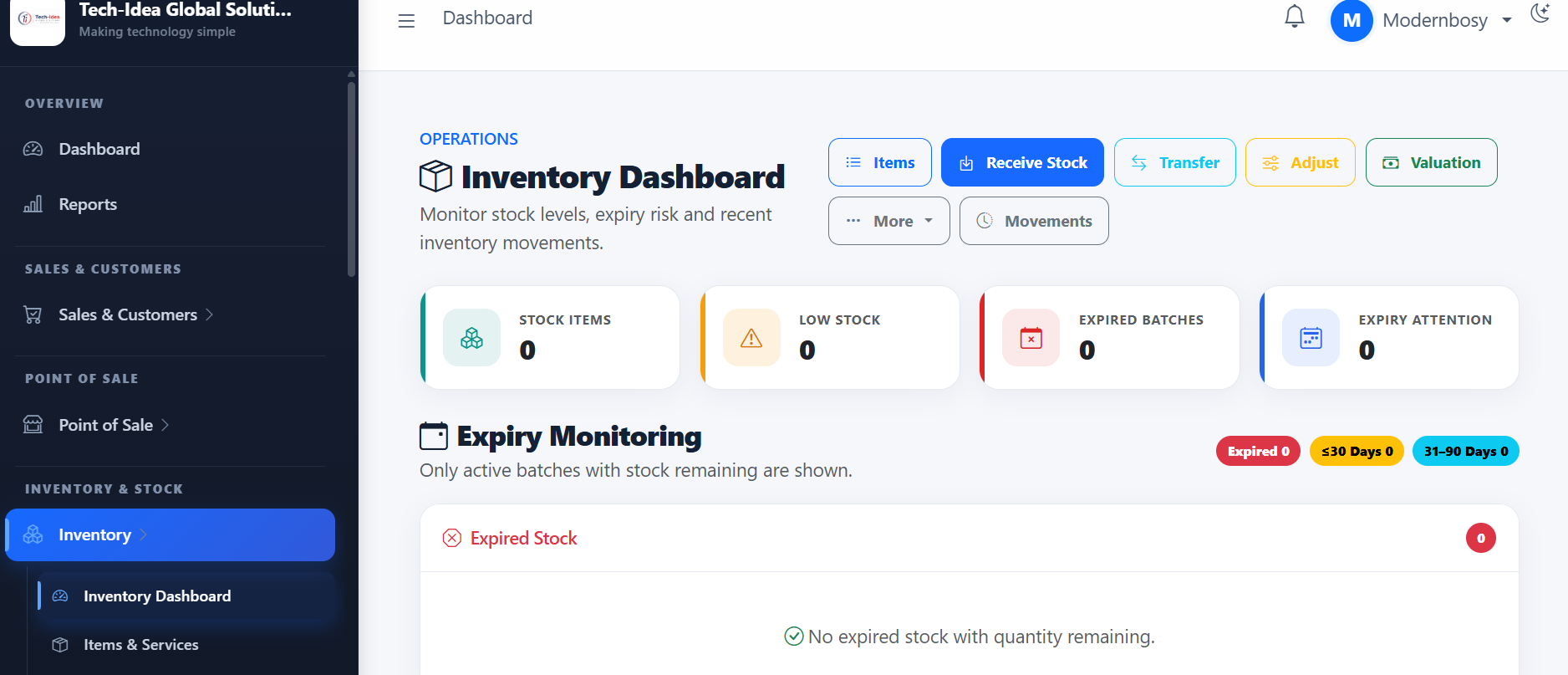
The inventory workspace provides detailed stock control from receiving through movement and valuation. Batch and expiry monitoring helps teams identify expired stock and upcoming expiry risk before it becomes a loss.
Track the full financial life of every asset.
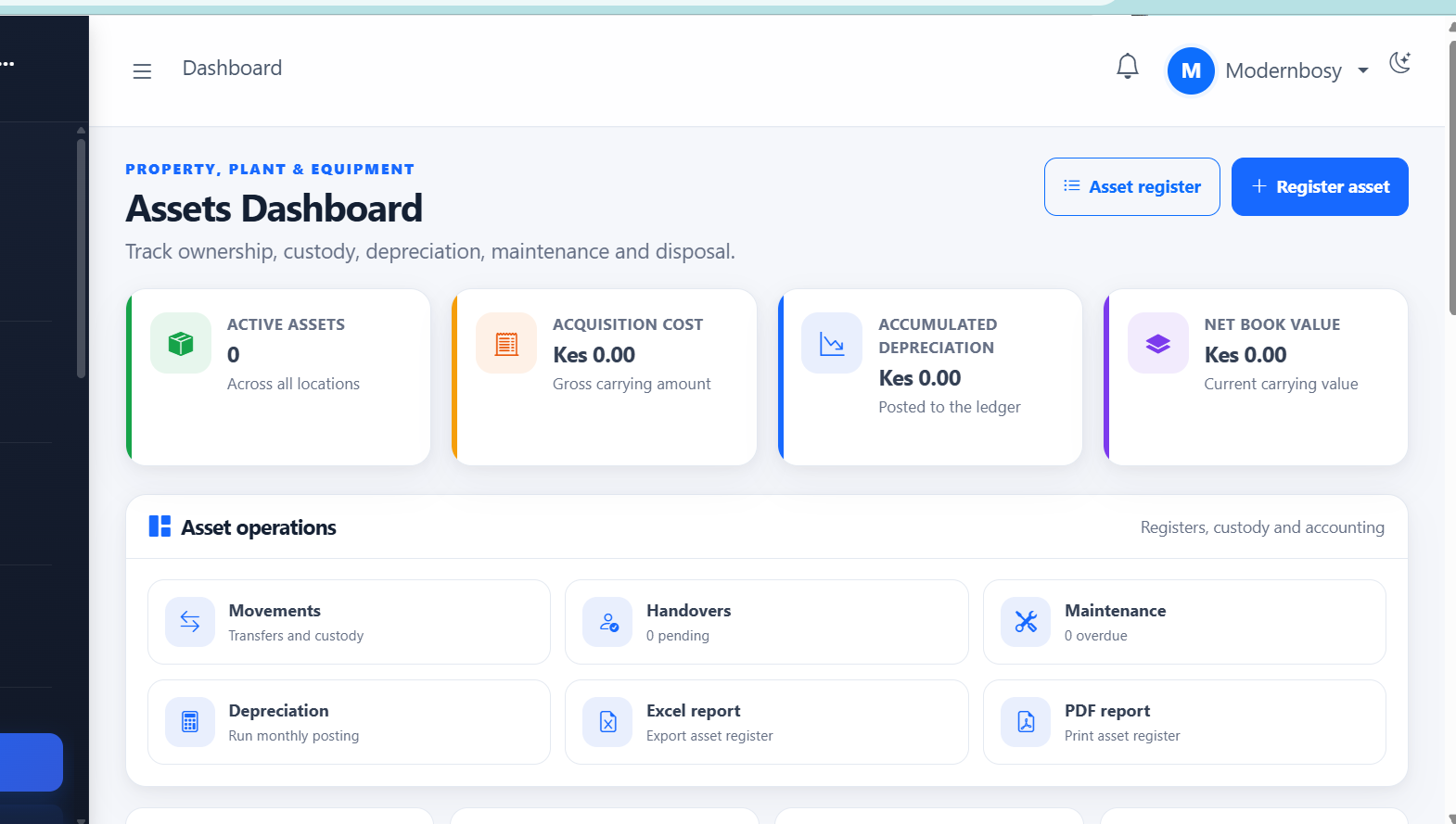
Asset management is integrated with accounting rather than treated as a standalone register. Track ownership and custody while maintaining acquisition cost, depreciation and current carrying value.
From quotation to payment, without losing the trail.
Build a consistent billing workflow around customer accounts. Convert commercial activity into invoices, record payments, follow outstanding balances and produce documents your customers can understand.
Discuss ERP for Your BusinessA platform designed to grow with operations.
Explore the ERP workspace
Choose a workflow. Click a marker on the screenshot or read the steps below it.
Receive stock
Start from Receive Stock on the Inventory Dashboard.
Receive stock in practice
- Open Receive Stock and choose the warehouse that physically received the goods.
- Record the delivered quantities. Capture batch and expiry details for tracked items.
- Review and post the receipt, then check the stock movement for that warehouse.
Review daily operations
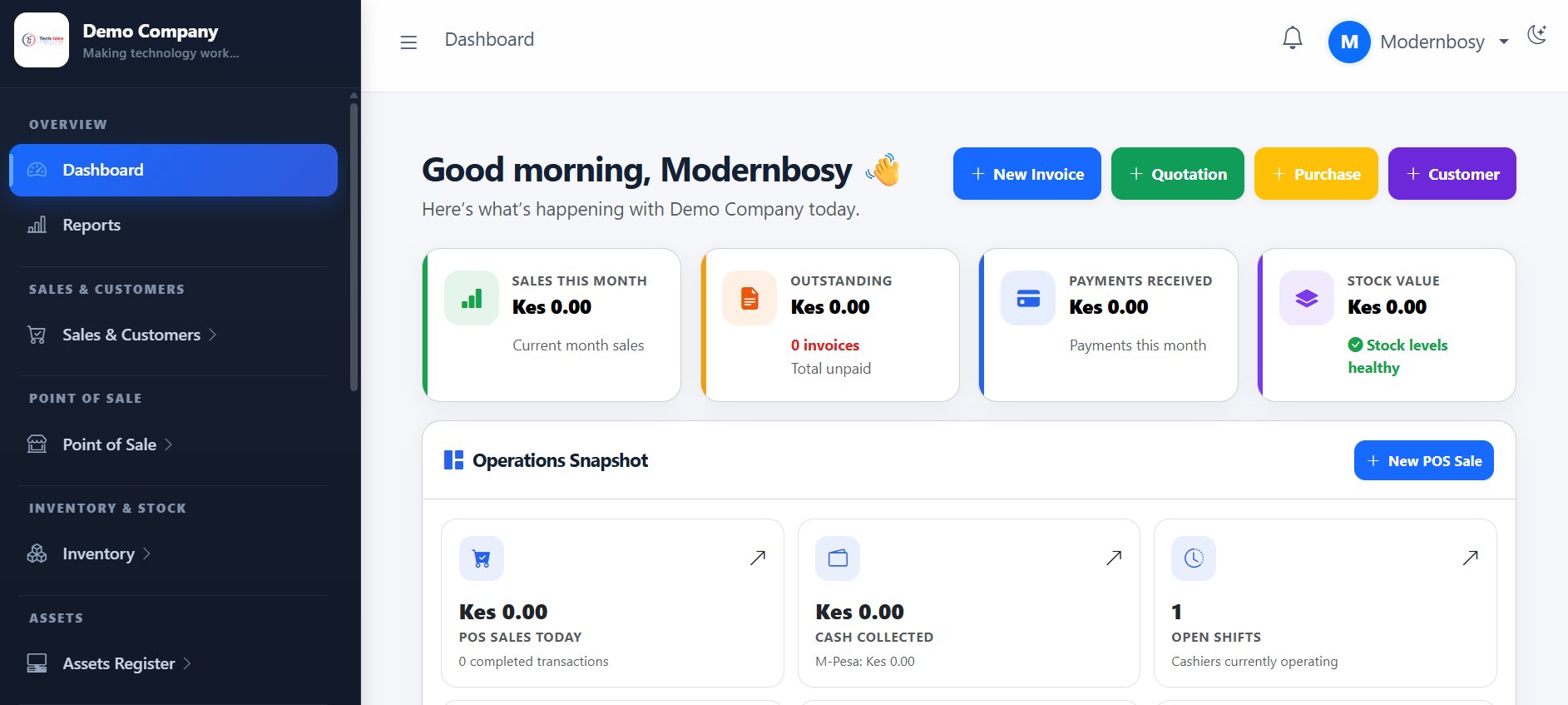
Start from the ERP dashboard.
Review daily operations in practice
- Open the dashboard and review its operational summaries.
- Use the navigation to open sales, inventory or finance for the records behind those totals.
Review the asset register
Start from the Assets Dashboard.
Review the asset register in practice
- Open the asset register to find the asset record.
- Review recorded acquisition cost, depreciation and carrying value.
See Tech-Idea ERP around your own workflow.
Tell us how you handle accounting, stock, assets and billing today. We can demonstrate how the platform fits your operation, including manufacturing workflows where relevant.